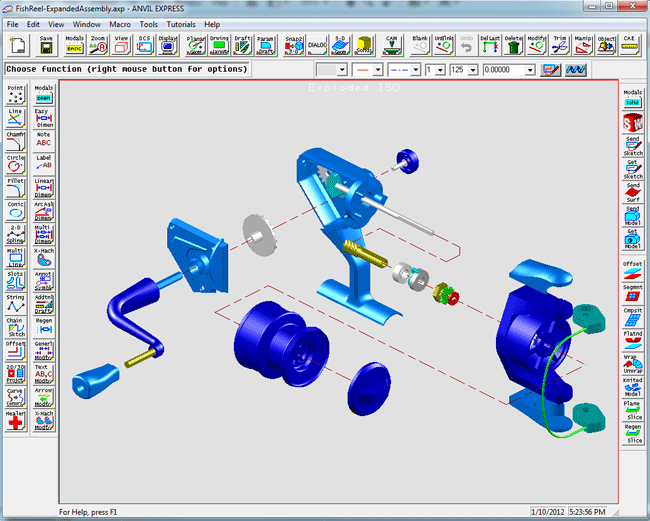
|
ANVIL EXPRESS OVERVIEW
Quite simply, ANVIL EXPRESS is the
future of mechanical CAD through CAM technology. It has all the tools a
designer needs, and it's easy to learn. One of the first industry analysts
to review ANVIL EXPRESS was David Weisberg, the publisher of Engineering
Automation Report:
"During the
past several years, the cost of CAD/CAM systems has come down
dramatically. Unfortunately, most of the systems available today still
require an inordinate amount of time to master. ANVIL EXPRESS breaks the
paradigm with an extremely productive user interface and a new concept in
interactive multimedia coaching tools. Most design and manufacturing
engineers should be able to sit down and produce useful work in a matter
of hours. You can learn as you go. This is definitely the biggest
advancement in automated learning tools in the CAD/CAM industry."
In addition to being a complete,
integrated system, ANVIL EXPRESS is a modular system. You buy only the capabilities you
need now, without compromising your ability to add new modules in the future.
- A complete set of 2-D and 3-D design and drafting tools.
- True automatic solids from a machinable 2-D drawing.
- Interactive tutorials for both novice and experienced users.
- A large toolkit of advanced surface modeling tools.
- 2 1/2, 3, 4, and 5-axis CAM that can handle almost any machining requirement.
- Visual tool-path simulation and verification.
- Photo-realistic rendering and animation.
- Advanced customization and automation capabilities.
CLICK TO ENLARGE
Essential
Benefits
ANVIL EXPRESS gives you everything you
need to compete in the 21st Century:
- The best combination of high-end functionality and an affordable, mid-range price
- True automatic solids from a 2-D drawing
- Full CAD through CAM integration with drafting, surfaces, NC
programming, tool-path verification, rendering, and animation
- The first true interactive on-line help in the CAD/CAM industry
Total Integration
ANVIL EXPRESS is a complete,
Windows-based CAD-through-CAM-and-more product line.
In addition, ANVIL EXPRESS has
powerful ties to the outside world, with a full suite of translators:
Use these to import existing data
and to share ANVIL EXPRESS data with others.
Need help in converting Anvil part files to other formats? Click Here!
On-Line
Audio-Visual Tutorials
The ANVIL EXPRESS Tutorial Executive
sets a new standard for on-line CAD through CAM help with an extensive set of multimedia
tutorials. You can use these tutorials at any time, even in the middle of work on a
production part, quickly bringing new users up to full productivity.
Room to Grow
ANVIL EXPRESS is available in a variety
of configurations, ranging from basic design and drafting systems to full-featured
CAD
through CAM systems with automatic solid modeling at the most competitive prices available in the
industry.
No other system offers a cleaner, easier growth path than ANVIL EXPRESS.
So register now for your
free 30-day trial download or contact our Cave Creek office.
Design Drafter
The ANVIL EXPRESS Design Drafter module
is a full 3-D wireframe design and detail drafting package that includes free-form curves,
a comprehensive set of manipulation methods, plus curve and section analysis for basic
CAE. And, of course, it supports all popular international drafting standards.
Relational technology is particularly useful when multiple designs are
based on a parent design (family-of-parts projects) and when a design is
frequently adjusted or revised during the course of product development.
Automatic Solids
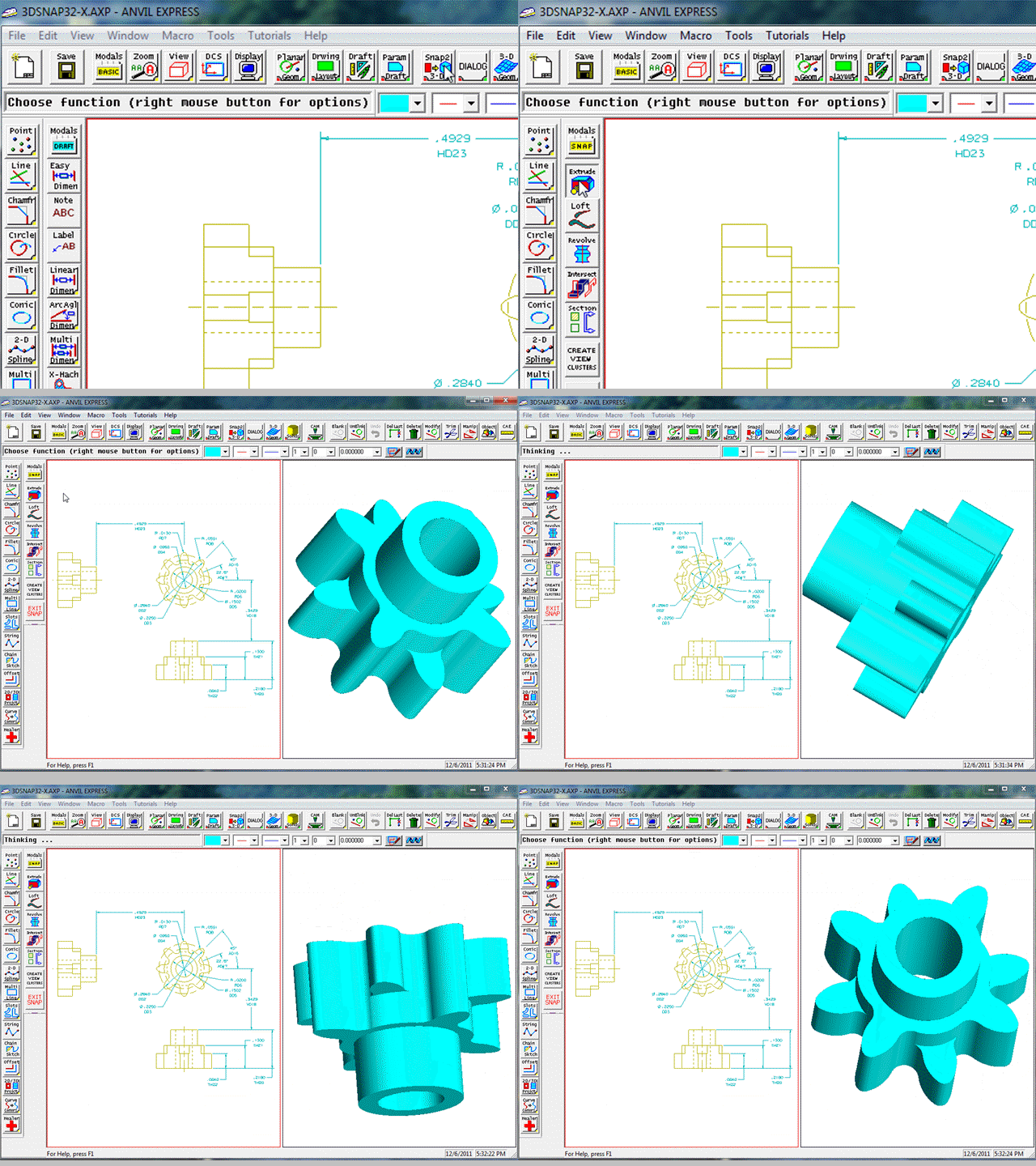
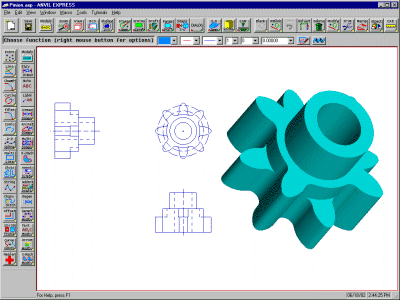
SNAP2-3D, the first true
automatic snap-to solids generator, makes its debut in ANVIL EXPRESS. Just draw 2-D views
of your part, then click the SNAP2-3D icon. ANVIL
EXPRESS automatically creates a solid model, complete with the features you've drawn.
CLICK TO SEE
SNAP2-3D IN ACTION !
Surface Modeler
ANVIL EXPRESS Surface Modeler includes
all of Design Drafter and it creates all the important surface types:
- Free-form NURB surfaces
- Blending surfaces
- Analytic surfaces (planes, cones, etc.).
- Curve-based mesh, surface of revolution, projected, and curve-driven
surfaces
- Trimmed surfaces
Surface Modeler extends your CAE
capabilities with mass-properties analysis and your visualization capabilities with a
variety of software hidden-line and shading techniques. It also outputs STL files for
stereolithography and related uses.
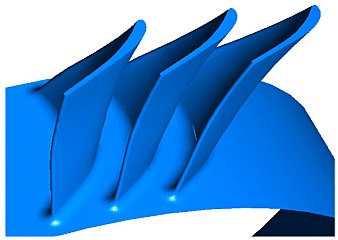
| "Surfaces
that are difficult or impossible to create in SolidWorks are easily modeled with
ANVIL Express while keeping seams accurately joined allowing you to cut your solid
model while retaining multiple features." Don Geri
GEI Technology, Inc |
Manufacturing
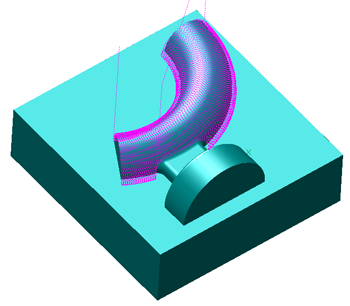
ANVIL EXPRESS Manufacturing includes the following machining modules:
- 2 1/2 axis machining (milling, turning, drilling & engraving)
- 3 axis milling
- 4 - 5 axis milling
- Wire EDM machining
- ANVIL Verify Lite (included with all machining modules)
- NCPost (included with all machining modules)
Render/Animator Visualization
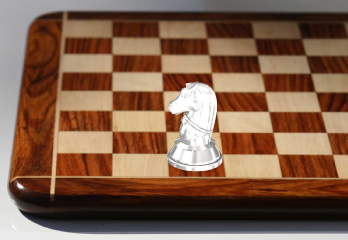
Besides creating great products, ANVIL
EXPRESS creates great-looking images of your product with its optional rendering and
animation capabilities. Use ANVIL Render/Animator to create photorealistic images for
manuals and sales materials. You can also use it to create action sequences for multimedia
presentations and management review. ANVIL EXPRESS does more than just help you create
products, it helps you explain and sell them, too.
API Customization and Automation
ANVIL EXPRESS includes two ways to
customize and automate your CAD-through-CAM system.
The first is GRAPL, the native
graphic-application programming language for ANVIL EXPRESS. It includes both Windows-based
and command-line versions of the GRAPL build utilities. In the Windows-based GRAPL program
builder, you are only a few mouse clicks away from creating custom GRAPL programs that are
ready to be executed from inside ANVIL EXPRESS.
In addition to providing a native
programming language, ANVIL EXPRESS includes an application programming interface (API)
designed specifically for those who prefer to use Microsoft's Visual C++ or Visual Basic.
This API provides system-level access to many ANVIL EXPRESS functions in a form that lets
you work in today's most popular programming environments.
Need help writing or customizing a GRAPL program and can’t find it in our Free GRAPL Library Download? Then you can Click Here!
Learning More
Industry in the 21st Century will be
faster paced and more competitive than anything we have ever seen, and yesterday's
CAD/CAM tools just won't do the job. You need a 21st Century CAD-through-CAM system, and
you can get it without waiting for the next millennium: ANVIL EXPRESS is available today.
So don't be left behind. Register to get your free 30-day trial download, or contact our Cave Creek office for pricing and availability.
| Products





|